
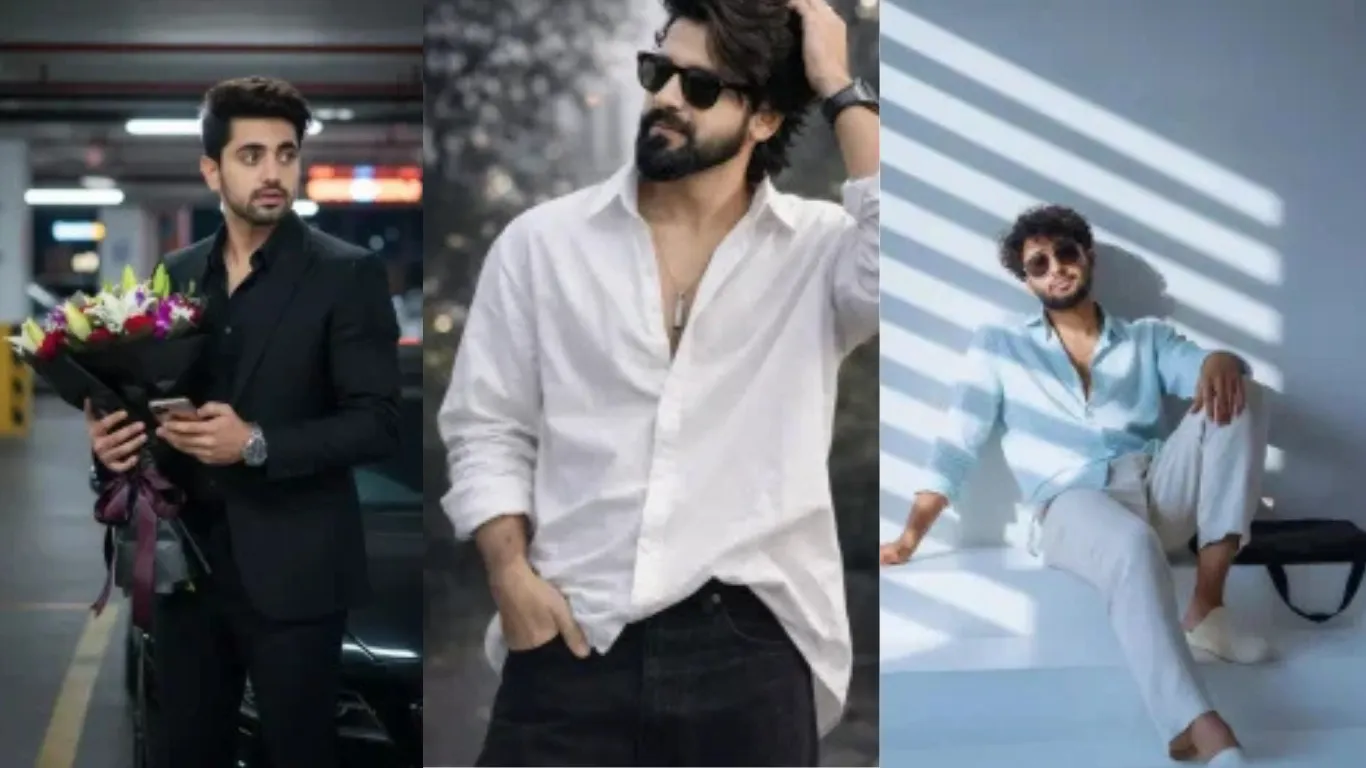
Chatgpt Boys Attitude AI Photo Editing Prompts :आजकल आपने देखा होगा कि Instagram पर अगर आपकी फोटो प्रोफेशनल और आकर्षक नहीं होती, तो वह ज्यादा लोगों तक नहीं पहुंचती। वहीं, जब आप क्वालिटी वाली तस्वीरें पोस्ट करते हैं, तो उनकी रीच और एंगेजमेंट दोनों बेहतर हो जाते हैं।
अब सवाल आता है कि ऐसी शानदार तस्वीरें बनाई कैसे जाएं? खासकर लड़कों के लिए यह थोड़ा चुनौतीपूर्ण हो सकता है, क्योंकि अक्सर उनके पास सिर्फ एक ही फोटो होती है और वे उसी से अलग-अलग स्टाइल की इमेज बनाना चाहते हैं।
यह लेख खासतौर पर आपकी इसी जरूरत को ध्यान में रखकर तैयार किया गया है। यहां बताए गए आसान तरीकों को फॉलो करके आप बिना ज्यादा मेहनत के एक ही फोटो से कई शानदार और प्रोफेशनल तस्वीरें बना सकते हैं। बस दिए गए स्टेप्स को सही तरीके से अपनाइए, और आपकी बेहतरीन फोटो अपने आप तैयार हो जाएगी।
New 100+ Google Gemini Boy Girl & Couple Photo Editing Prompts | Real Face
The Breakdown Of This Editing
देखिए, अगर इसे विस्तार से समझें, तो यहाँ केवल एक फोटो की बात नहीं हो रही है। मैं आपको कई तरह की प्रोफेशनल तस्वीरों के उदाहरण दूंगी, ताकि आप उनके अलग-अलग स्टाइल को अच्छे से समझ सकें और उसी अनुसार अपनी फोटो तैयार कर सकें।
मान लीजिए आपके पास सिर्फ एक साधारण सेल्फी है, या आपके पास अलग-अलग फोटो शूट करने का समय नहीं है—तो भी कोई समस्या नहीं है। आप उसी एक सामान्य फोटो को अलग-अलग प्रोफेशनल लुक में बदल सकते हैं। इस लेख में बताए गए तरीकों की मदद से आप कई स्टाइल की तस्वीरें आसानी से बना पाएंगे।
इसके लिए आपको बस दिए गए निर्देशों को सही जगह पर कॉपी-पेस्ट करना है और सही तरीके से इस्तेमाल करना है। इस काम के लिए आप Google Gemini या ChatGPT जैसे टूल्स का उपयोग कर सकते हैं—आपके लिए जो बेहतर काम करे, उसे चुन सकते हैं।
इसके अलावा, मैं आपको अपने खुद के बनाए हुए टूल के बारे में भी बताऊंगी, जिसका इस्तेमाल करके आप और भी आसान तरीके से शानदार फोटो तैयार कर सकते हैं।
Chatgpt Boys Attitude AI Photo Editing Prompts का उपयोग करके फोटो कैसे बनाएं
अब मैं आपको पूरी प्रक्रिया आसान तरीके से समझाता हूँ, ताकि आप बिना किसी कन्फ्यूजन के अपनी फोटो बना सकें।
सबसे पहले, मैं आपको अलग-अलग स्टाइल और उनके रिज़ल्ट दिखाऊंगा, जिससे आपको यह समझ आ जाएगा कि कौन-सा लुक आपके लिए बेहतर रहेगा। साथ ही, आपको कई तरह के प्रॉम्प्ट भी मिलेंगे। इन प्रॉम्प्ट में अलग-अलग स्टाइल होंगे, इसलिए जो आपको सबसे ज्यादा पसंद आए, उसे चुनकर कॉपी कर लें।
इसके बाद आपको “Create Image” का ऑप्शन दिखाई देगा। यहाँ मैंने ChatGPT का लिंक दिया है, जिसकी जरूरत क्यों है—यह मैं आगे समझाऊंगा। उस पेज पर जाने के बाद “Create Image” विकल्प को सिलेक्ट करें।
अब नीचे दिए गए स्टेप्स फॉलो करें:
- कॉपी किया हुआ प्रॉम्प्ट वहाँ पेस्ट करें
- “+” (प्लस) ऑप्शन पर क्लिक करें
- अपनी सेल्फी अपलोड करें
- फिर “Generate” बटन पर क्लिक करें
बस, इतना करते ही आपका काम लगभग पूरा हो जाता है। आपने जिस स्टाइल का प्रॉम्प्ट चुना है, आपकी फोटो उसी स्टाइल में तैयार हो जाएगी। आपको सिर्फ कुछ सेकंड इंतज़ार करना होगा, और आपकी प्रोफेशनल लुक वाली फोटो तैयार मिल जाएगी।
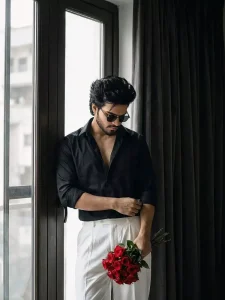
PORTRAIT of a stylish young man [ keep it real face from uploaded image ] Indoor aesthetic fashion photo of a young man with voluminous black hair with wolfhaircut standing in front of a tall glass door with dark large curtains on one side, wearing sunglasses a slightly open dark black formal shirt and loose white pants, looking down with his hands near his half body short, Holding Rose bouquet in right hand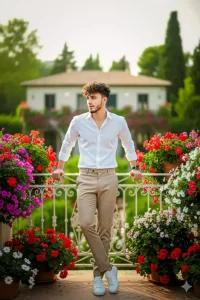
Use reference photo to create A fashionable casual boy wearing white shirt and beige pants, leaning on a balcony of a beautiful villa many flowers around his, greenery around, soft natural light, dreamy aesthetic, realistic skin texture.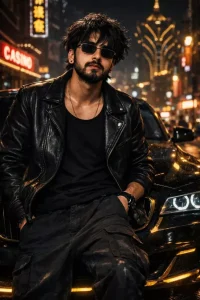
Edit image :Cinematic street photography, night photography, this Subject: [messy hair over forehead, head up, gaze toward the viewer, black tank top and black leather jacket, black baggy cargo pants, rimless rectangle black tinted glass glasses], Action: [seated on car hood, leaning against car, hand on pocket gesture, stoik pose], Vehicle: [BMW M4, obsidian and gold paint, gold neon underglow], Location: [Macau metropolis street, wet asphalt,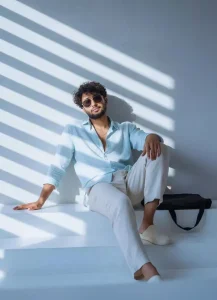
“Create a hyper-realistic and photo-realistic portrait of me (use my provided face reference and maintain 100% facial accuracy with crisp micro-details; do not alter or modify facial features, and keep my chest clean with no chest hair).Scene: I am seated casually on modern white concrete stairs inside a minimalist architectural space. Strong rectangular sunlight patterns from window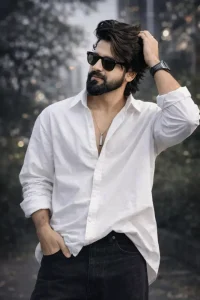
16K ULTR REALISTIC CREATE IMAGE. A STYLISH YOUNG BOY WITH MESSY VOLUME HAIR, AT - POSING OUTDOORS IN A VIBRANT NATURAL SET OVERSIZED WHITE SHIRT BOTH HANDS I LOGO, BLACK BAGGY JEANS VERTICAL BAR PENDA TAND BLACK AND WHITE APPLE WATC THE BACKGROUND IS LUSH, URBAN VIBES SOFTLY BLURRED BLACK WITH CINEMATIC LIGHTING, CREATING AN ULTRA-REALISTIC DSLR- EHIMAGE.(RIGHT SIDE FACE FOCUS USE 100% ABOVE UPLOADED PHOTO SUNGLASSES DSLR HAND TOUCH HAIR STYLES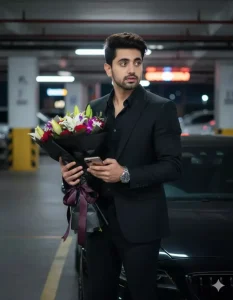
8k Hyper-realistic cinematic 9:16 portrait based on the uploaded image, keeping the same face and messy hair over the eye of A stylish 25 years boy standing in a moderncity parking lot at night, beside a sleek black luxury car. He is wearing a fitted black suit, black shirt, and black trousers, accessorized witha luxury wristwatch and dark In one he holds a bouquet offresh wrapped in elegant black paper with ribbon while checking his with the other hand,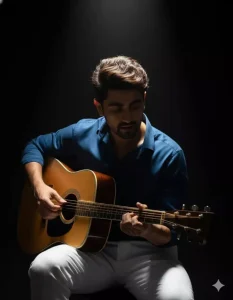
Dramatic portrait of a man and playing an acoustic guitar inside a black studio Iluminated only by a soft spotlight light from above that highlights part of his face and wooden guitar Dark atmosphere with high contrast lighting creates a mysterious feel focusing on the details of fingers strumming the guitar strings Artistic moody elegant and cinematic atmosphere like an indie musician. Also replace the original clothes with old money type Blue shirt and white linen pantPoster Realistic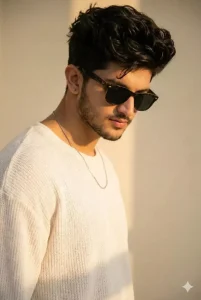
Apply this prompt to my uploaded image Dreamlike cinematic portrait of a young man with tousled black hair, wearing a knitted white oversized shirt made of soft textured fabric. A single Silver thin necklace enhances his style. His sunglasses create a cool aura as he lowers his head gently. Sunlight in warm amber tones brushes his face and shoulder, glowing against a neutral cream wall: plz, face dont change."same face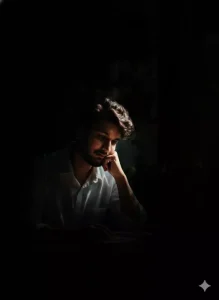
This photograph portrays a person enveloped in darkness, with entirely segment of his face catching the light. One aspect is obscured in shadow, at the same time as the precise emerges into visibility. His expression consists of a somber and mysterious tone, amplified through the setting interaction of slight and shadow. in opposition to the deep, darkish heritage, the scene exudes a dramatic and evocative ecosystem.
Ultra-realistic cinematic portrait of a man celebrating during Holi festival, based on the uploaded reference photo of me, vertical composition, low-angle shot, dynamic action pose with one arm raised high toward the sky, throwing vibrant red and pink powder that explodes dramatically above his hand, colorful powder clouds surrounding the body, intense splash details, particles frozen mid-air, yellow and orange gradient powder smoke in the background, dramatic lighting, soft natural daylight mixed with cinematic glow, high contrast, sharp focus on face, detailed skin texture, slightly open mouth expression of joy and freedom, casual button-down shirt partially covered in multicolor powder stains, wind-swept hair, energetic movement, shallow depth of field, 85mm lens look, f/1.8, ultra high resolution, HDR, hyper-detailed, professional photography, vibrant color grading, epic inspirational mood, no watermark, no text, no logo.पहले और दूसरे फोटो प्रॉम्प्ट की तुलना करें
अब मैं आपको दोनों तस्वीरों की तुलना आसान भाषा में समझाता हूँ, ताकि आपको साफ पता चले कि अलग-अलग स्टाइल कैसे अलग कहानी दिखाते हैं।
पहली तस्वीर में आप गिटार पकड़े हुए दिखाई देते हैं। पूरा सेटअप ऐसा लगता है जैसे आप किसी स्टूडियो में बैठे हों, पीछे डार्क बैकग्राउंड है और लाइटिंग भी प्रोफेशनल है। खास बात यह है कि यह फोटो एक साधारण सेल्फी और सही प्रॉम्प्ट की मदद से तैयार की गई है, लेकिन देखने में पूरी तरह प्रोफेशनल लगती है। इस तरह की इमेज यह दर्शाती है कि आप एक कलाकार हैं, शायद सिंगर या म्यूज़िशियन।
दूसरी तस्वीर बिल्कुल अलग फील देती है। इसमें आप एक सुंदर ड्रेस में खड़ी हैं, हाथ में फूलों का गुलदस्ता है, और आपका पूरा लुक काफी मॉडर्न और स्टाइलिश है। हेयरस्टाइल से लेकर आउटफिट तक सब कुछ परफेक्ट दिखता है, और काले चश्मे आपके लुक को और आकर्षक बना रहे हैं। इस फोटो को देखकर ऐसा लगता है जैसे आप किसी खास मौके पर किसी को सरप्राइज देने वाली हैं या कोई खास संदेश देने जा रही हैं।
यानी, दोनों तस्वीरें सिर्फ दिखने में ही अलग नहीं हैं, बल्कि उनकी अपनी-अपनी कहानी और भावनाएँ भी अलग हैं। पहली फोटो आपकी क्रिएटिव और आर्टिस्टिक पहचान दिखाती है, जबकि दूसरी फोटो आपकी स्टाइल, पर्सनैलिटी और इमोशनल एक्सप्रेशन को दर्शाती है।
मैं Chatgpt का उपयोग क्यों कर रहा हूँ?
मैंने पहले बताया था कि मैं ChatGPT का इस्तेमाल क्यों कर रहा हूँ, अब इसे थोड़ा विस्तार से समझ लेते हैं।
असल में, फिलहाल Google Gemini भी काफी अच्छे रिज़ल्ट देता है। आप चाहें तो इसका उपयोग कर सकते हैं, खासकर इसका प्रो वर्ज़न, जिसमें आपको लगभग वैसी ही क्वालिटी मिलती है। हालांकि, प्रो वर्ज़न इस्तेमाल करने के लिए सब्सक्रिप्शन की जरूरत होती है। फिर भी, फ्री वर्ज़न में आप आसानी से 3–4 इमेज बना सकते हैं—यह लिमिट समय-समय पर बदल सकती है।
अगर आप Google Gemini इस्तेमाल करते हैं, तो वहाँ की प्रक्रिया लगभग वही रहेगी। हो सकता है कुछ छोटे-मोटे बदलाव दिखें, लेकिन एक बार जब आप इमेज बनाना सीख जाते हैं, तो किसी भी टूल पर काम करना आपके लिए आसान हो जाता है।
जहाँ तक ChatGPT की बात है, इसमें फिलहाल फेस मैचिंग का रिज़ल्ट काफी बेहतर मिलता है—लगभग 100% तक एक्यूरेसी देखने को मिलती है। यही वजह है कि मैं इसे ज्यादा प्राथमिकता देता हूँ, खासकर तब जब आपको अपनी फोटो को बिल्कुल रियलिस्टिक और सटीक लुक में तैयार करना हो।
Share to Help